Are you tired of laggy gameplay and subpar graphics ruining your gaming experience? 🎮 Imagine immersing yourself in stunning virtual worlds, executing lightning-fast moves, and dominating your opponents with ease. The key to unlocking this gaming nirvana lies in finding the perfect gaming laptop that fits your needs and budget.
But with countless options flooding the market, choosing the right gaming powerhouse can feel like navigating a labyrinth. How do you strike the ideal balance between performance and price? What features are essential for your gaming style? Don’t worry – we’ve got you covered! 💪
Key components that define a gaming laptop
When it comes to gaming laptops, several key components set them apart from their regular counterparts. These components are crucial for delivering the high-performance experience that gamers demand. Let’s dive into the essential elements that define a gaming laptop:
- Graphics Processing Unit (GPU): The GPU is the heart of any gaming laptop. It’s responsible for rendering graphics and ensuring smooth gameplay. Top-tier gaming laptops often feature dedicated GPUs from NVIDIA or AMD, such as the NVIDIA GeForce RTX series or AMD Radeon RX series.
- Central Processing Unit (CPU): A powerful CPU is essential for handling complex game logic, physics simulations, and multitasking. Gaming laptops typically feature high-performance processors from Intel (like the Core i7 or i9 series) or AMD (such as the Ryzen 7 or 9 series).
- Random Access Memory (RAM): Adequate RAM is crucial for smooth gameplay and multitasking. Gaming laptops usually come with a minimum of 8GB RAM, with high-end models offering up to 32GB or even 64GB.
- Storage: Fast storage is vital for quick game loading times and system responsiveness. Most gaming laptops feature solid-state drives (SSDs) for the operating system and frequently used games, often complemented by a larger hard disk drive (HDD) for additional storage.
- Display: A high-quality display is essential for an immersive gaming experience. Gaming laptops typically feature screens with high refresh rates (144Hz or higher), low response times, and technologies like NVIDIA G-Sync or AMD FreeSync for smooth, tear-free gameplay.
- Cooling System: Efficient cooling is crucial to maintain performance and prevent thermal throttling. Gaming laptops often feature advanced cooling solutions, including multiple fans, heat pipes, and strategically placed vents.
- Keyboard: Gaming-specific keyboards often include features like programmable macro keys, RGB backlighting, and anti-ghosting technology for precise input during intense gaming sessions.
Here’s a comparison of typical specifications for entry-level, mid-range, and high-end gaming laptops:
| Component | Entry-Level | Mid-Range | High-End |
|---|---|---|---|
| GPU | NVIDIA GTX 1650 | NVIDIA RTX 3060 | NVIDIA RTX 3080 |
| CPU | Intel Core i5 | Intel Core i7 | Intel Core i9 |
| RAM | 8GB | 16GB | 32GB or more |
| Storage | 256GB SSD | 512GB SSD + 1TB HDD | 1TB SSD + 2TB HDD |
| Display | 15.6″ 1080p 60Hz | 15.6″ 1080p 144Hz | 17.3″ 1440p 240Hz |
| Price Range | $700-$1000 | $1000-$1800 | $1800+ |
How gaming laptops differ from regular laptops
Gaming laptops are purpose-built machines designed to deliver high performance for demanding games and applications. Here are the key differences that set them apart from regular laptops:
- Performance: Gaming laptops are significantly more powerful than regular laptops, featuring high-end CPUs, dedicated GPUs, and faster RAM to handle resource-intensive games and applications.
- Cooling Systems: Due to their high-performance components, gaming laptops require more robust cooling solutions. They often feature multiple fans, larger heat sinks, and more efficient airflow designs compared to regular laptops.
- Display Technology: Gaming laptops typically offer displays with higher refresh rates, lower response times, and better color accuracy. These features enhance the gaming experience and provide smoother visuals.
- Build Quality: Gaming laptops are often built with more durable materials to withstand the heat generated by high-performance components and the wear and tear of frequent use.
- Customization Options: Many gaming laptops offer more customization options, including RGB lighting for keyboards and chassis, programmable macro keys, and software for fine-tuning performance.
- Audio Systems: Gaming laptops usually feature higher-quality speakers and audio processing software to enhance the gaming experience.
- Connectivity: Gaming laptops often include a wider range of ports and faster Wi-Fi capabilities to support gaming peripherals and ensure low-latency online gaming.
- Battery Life: Due to their power-hungry components, gaming laptops generally have shorter battery life compared to regular laptops when running on battery power.
- Price: Gaming laptops are typically more expensive than regular laptops due to their high-performance components and specialized features.
Importance of balancing performance and portability
When choosing a gaming laptop, finding the right balance between performance and portability is crucial. This balance affects not only your gaming experience but also the laptop’s practicality for everyday use. Here are some key factors to consider:
- Weight and Size: High-performance components often require larger chassis for proper cooling, making gaming laptops heavier and bulkier than regular laptops. Consider how often you’ll be carrying your laptop and choose a size that fits your lifestyle.
- Battery Life: More powerful components consume more energy, leading to shorter battery life. Decide whether long battery life or peak performance is more important for your needs.
- Cooling Efficiency: Thinner laptops may struggle to cool high-performance components effectively, potentially leading to thermal throttling and reduced performance. Consider whether you prioritize a slim design or maximum sustained performance.
- Screen Size: Larger screens offer a more immersive gaming experience but reduce portability. Determine the right balance between screen size and portability for your needs.
- Upgradeability: Some gaming laptops offer the ability to upgrade components like RAM and storage, which can extend the laptop’s lifespan. However, this often comes at the cost of a thicker chassis.
To help you make an informed decision, consider the following pros and cons of prioritizing performance or portability:
| Aspect | Performance-Focused | Portability-Focused |
|---|---|---|
| Pros | Higher frame rates, Better graphics, More future-proof | Lighter weight, Longer battery life, Easier to carry |
| Cons | Heavier, Shorter battery life, Less portable | Lower performance, May struggle with future games, Limited upgradeability |
Ultimately, the right balance between performance and portability depends on your specific needs and usage patterns. Consider factors such as:
- How often you’ll be carrying the laptop
- Whether you’ll be gaming primarily at home or on the go
- The types of games you play and their system requirements
- Your budget constraints
By carefully weighing these factors, you can find a gaming laptop that offers the perfect balance of performance and portability for your unique needs. Remember, the goal is to find a laptop that not only meets your gaming requirements but also fits seamlessly into your lifestyle.
Now that we’ve covered the basics of gaming laptops, let’s move on to assessing your specific gaming needs to help narrow down your choices.
Assessing Your Gaming Needs

Casual gaming requirements
For casual gamers, the requirements for a gaming laptop are relatively modest. These individuals typically play less demanding games or engage in gaming as a casual hobby rather than a serious pursuit. Here’s what casual gamers should look for in a gaming laptop:
- Processor: A mid-range CPU like an Intel Core i5 or AMD Ryzen 5 is usually sufficient.
- Graphics Card: An entry-level dedicated GPU, such as NVIDIA GTX 1650 or AMD Radeon RX 5500M, can handle most casual games.
- RAM: 8GB of RAM is generally adequate for casual gaming needs.
- Storage: A 256GB SSD provides enough space for a few games and quick load times.
- Display: A 15.6-inch Full HD (1920×1080) display with a 60Hz refresh rate is suitable for most casual gamers.
Casual gamers can often find budget-friendly options that meet these specifications without breaking the bank. These laptops can comfortably run popular titles like Minecraft, Fortnite, or The Sims at medium settings with smooth frame rates.
Midrange gaming expectations
As we move up the gaming ladder, midrange gamers have higher expectations for their gaming laptops. These users typically play a mix of AAA titles and competitive multiplayer games, requiring more power and better features:
- Processor: An Intel Core i7 or AMD Ryzen 7 processor provides the necessary power for more demanding games.
- Graphics Card: A mid-tier GPU like the NVIDIA RTX 3060 or AMD Radeon RX 6700M offers excellent performance for most modern games.
- RAM: 16GB of RAM is recommended for smoother multitasking and gaming experiences.
- Storage: A 512GB SSD or a combination of SSD and HDD for more storage capacity.
- Display: A 15.6-inch or 17.3-inch Full HD display with a 144Hz refresh rate enhances the gaming experience.
Midrange gaming laptops often include additional features like RGB keyboards, better cooling systems, and improved audio. These machines can handle most modern games at high settings and provide a smooth gaming experience for popular titles like Call of Duty: Warzone, Apex Legends, or Cyberpunk 2077.
High-end gaming demands
High-end gamers require top-of-the-line performance to run the latest AAA titles at maximum settings or to engage in resource-intensive tasks like game development or 3D rendering. Here’s what high-end gaming laptops typically offer:
- Processor: The latest Intel Core i9 or AMD Ryzen 9 processors provide unparalleled performance.
- Graphics Card: High-end GPUs like the NVIDIA RTX 3080 or AMD Radeon RX 6800M deliver exceptional gaming performance.
- RAM: 32GB of RAM or more ensures smooth performance even with multiple applications running.
- Storage: 1TB SSD or larger, often with additional storage options for extensive game libraries.
- Display: High-resolution displays (QHD or 4K) with high refresh rates (165Hz-300Hz) and advanced features like G-Sync or FreeSync.
High-end gaming laptops often include premium features such as:
- Advanced cooling systems with multiple fans and heat pipes
- Per-key RGB lighting
- High-quality speakers and audio processing
- Thunderbolt ports for external GPU support
- Premium build quality with metal chassis
These laptops can handle any game at maximum settings, including ray-tracing enabled titles like Control, Metro Exodus, or Cyberpunk 2077, while maintaining high frame rates.
Professional esports considerations
For professional esports players or aspiring competitors, gaming laptops need to meet specific requirements to ensure optimal performance in competitive scenarios. Here’s what esports professionals should consider:
- Processor: A high-performance CPU like Intel Core i7 or AMD Ryzen 7 with excellent single-core performance.
- Graphics Card: A powerful GPU that can consistently deliver high frame rates, such as the NVIDIA RTX 3070 or better.
- RAM: 16GB to 32GB of high-speed RAM for smooth performance during intense gaming sessions.
- Storage: Fast NVMe SSDs for quick game loading and system responsiveness.
- Display: High refresh rate displays (240Hz or higher) with low response times (1ms) are crucial for competitive gaming.
| Feature | Recommendation | Importance |
|---|---|---|
| Refresh Rate | 240Hz or higher | Critical |
| Response Time | 1ms or lower | Critical |
| Input Lag | As low as possible | High |
| Resolution | 1080p (Full HD) | Moderate |
| G-Sync/FreeSync | Desirable | Moderate |
Esports professionals often prioritize performance over visual fidelity, so features like high resolution or ray tracing are less important than consistent frame rates and responsive inputs.
Additional considerations for esports laptops include:
- Reliable and responsive keyboards with anti-ghosting and N-key rollover
- Precise touchpads and support for high-polling-rate mice
- Stable and fast networking capabilities (Wi-Fi 6 and Ethernet)
- Efficient cooling systems to maintain performance during long gaming sessions
- Portable design for easy transportation to tournaments and events
Esports-focused laptops are optimized for games like Counter-Strike: Global Offensive, Dota 2, League of Legends, or Overwatch, where every millisecond can make a difference in competitive play.
When assessing your gaming needs, it’s essential to consider not only your current gaming habits but also your future aspirations. If you’re a casual gamer looking to explore more demanding titles, investing in a midrange laptop might be wise. Similarly, if you’re a midrange gamer with aspirations of streaming or content creation, a high-end laptop could be a worthwhile investment.
Remember that your choice of gaming laptop should align with your specific gaming preferences and goals. Whether you’re a casual player enjoying the occasional game of Stardew Valley or a competitive esports athlete aiming for tournament victories, there’s a perfect gaming laptop out there to meet your needs.
Now that we’ve explored the various gaming needs and their corresponding laptop requirements, let’s delve into the essential features that make a gaming laptop truly stand out from the crowd.
Essential Features for Gaming Laptops
Powerful processors and their impact on gaming
When it comes to gaming laptops, the processor is the heart of the machine, dictating overall performance and determining how smoothly your games will run. Let’s dive into the world of processors and their crucial role in gaming.
CPU Types and Performance
The two main players in the gaming laptop processor market are Intel and AMD. Both offer a range of options suitable for different gaming needs and budgets:
| Processor Level | Intel Options | AMD Options | Best For |
|---|---|---|---|
| Entry-level | Core i5 | Ryzen 5 | Casual gaming, esports titles |
| Mid-range | Core i7 | Ryzen 7 | AAA titles, streaming |
| High-end | Core i9 | Ryzen 9 | Demanding games, content creation |
The number of cores and threads in a processor significantly impacts gaming performance. More cores allow for better multitasking and improved performance in games that utilize multiple cores. Current gaming laptops typically feature processors with 6 to 8 cores, which is sufficient for most modern games.
Clock speed is another crucial factor. Higher clock speeds (measured in GHz) translate to faster processing and better frame rates in games. Many gaming laptops feature processors with boost clock speeds exceeding 4.0 GHz, providing excellent performance for demanding titles.
Graphics cards: integrated vs. dedicated
The graphics card is arguably the most critical component for gaming performance. It’s responsible for rendering the visuals in your games, and the choice between integrated and dedicated graphics can make a world of difference.
Integrated Graphics
Integrated graphics are built into the CPU and share system memory. While they’ve improved significantly over the years, they’re generally not suitable for serious gaming. However, they can handle less demanding games and are often found in budget or thin-and-light laptops.
Dedicated Graphics
For a true gaming experience, a dedicated graphics card is essential. These are separate components with their own memory (VRAM) and processing power. The two main manufacturers are NVIDIA and AMD:
- NVIDIA GeForce RTX Series: Known for excellent performance and features like ray tracing.
- AMD Radeon RX Series: Offers competitive performance, often at a lower price point.
Here’s a breakdown of some popular graphics card options:
| Graphics Card Level | NVIDIA Options | AMD Options | Best For |
|---|---|---|---|
| Entry-level | GTX 1650, RTX 3050 | RX 5500M | 1080p gaming, esports |
| Mid-range | RTX 3060, RTX 3070 | RX 6600M, RX 6700M | 1440p gaming, high refresh rates |
| High-end | RTX 3080, RTX 3090 | RX 6800M, RX 6900M | 4K gaming, VR, content creation |
When choosing a graphics card, consider the games you play and your desired resolution and frame rate. A more powerful GPU will allow you to play at higher resolutions, with better visual settings, and achieve higher frame rates for smoother gameplay.
RAM and storage options for optimal performance
RAM (Random Access Memory) and storage are crucial components that can significantly impact your gaming experience. Let’s explore how these elements contribute to optimal performance.
RAM
RAM is your system’s short-term memory, used to store data that the CPU needs quick access to. For gaming laptops, consider the following:
- Capacity: 16GB is the current sweet spot for gaming, but 32GB future-proofs your system.
- Speed: Look for DDR4 RAM with speeds of 3200MHz or higher for best performance.
- Dual-channel: Two sticks of RAM perform better than a single stick of the same total capacity.
| RAM Capacity | Best For |
|---|---|
| 8GB | Basic gaming, older titles |
| 16GB | Most modern games, multitasking |
| 32GB | Future-proofing, heavy multitasking, content creation |
| 64GB+ | Extreme multitasking, professional work |
Storage
When it comes to storage, you’ll want to consider both capacity and speed:
- SSD (Solid State Drive): Essential for fast boot times and quick game loading. NVMe SSDs offer the best performance.
- HDD (Hard Disk Drive): Provides more storage at a lower cost, but is slower than an SSD.
A common setup in gaming laptops is a smaller SSD (256GB-512GB) for the operating system and frequently played games, paired with a larger HDD (1TB-2TB) for additional storage.
Display technology: resolution, refresh rate, and response time
The display is your window into the gaming world, and its quality can make or break your gaming experience. Let’s break down the key factors to consider:
Resolution
Resolution determines the number of pixels on your screen:
- 1080p (1920×1080): Standard resolution, good for high frame rates.
- 1440p (2560×1440): Offers a good balance between visual quality and performance.
- 4K (3840×2160): Highest visual quality, but demands more from your GPU.
Refresh Rate
Refresh rate, measured in Hz, indicates how many times per second your screen can update:
- 60Hz: Standard refresh rate, suitable for casual gaming.
- 144Hz: Provides smoother motion, ideal for fast-paced games.
- 240Hz and above: Offers the smoothest experience, beneficial for competitive gaming.
Response Time
Response time measures how quickly a pixel can change color, typically from gray to gray (GTG):
- 1ms-5ms: Excellent for gaming, minimal motion blur.
- 5ms-10ms: Good for most gaming scenarios.
- Above 10ms: May result in noticeable ghosting in fast-paced games.
Here’s a comparison of different display specifications:
| Display Spec | Casual Gaming | Competitive Gaming | Content Creation |
|---|---|---|---|
| Resolution | 1080p | 1080p or 1440p | 1440p or 4K |
| Refresh Rate | 60Hz-144Hz | 144Hz-360Hz | 60Hz-144Hz |
| Response Time | 5ms-10ms | 1ms-3ms | 5ms-10ms |
Cooling systems and their importance
Effective cooling is crucial for maintaining performance and longevity in gaming laptops. As powerful components generate significant heat, a robust cooling system is essential to prevent thermal throttling and ensure consistent performance.
Types of Cooling Systems
- Air Cooling: Uses fans to circulate air and heatsinks to dissipate heat.
- Liquid Cooling: Some high-end gaming laptops incorporate liquid cooling for more efficient heat dissipation.
Key Cooling Features to Look For
- Multiple fans: Dual or triple fan setups provide better airflow.
- Large heat pipes: Help distribute heat away from components.
- Strategically placed vents: Allow for efficient hot air expulsion and cool air intake.
- Thermal compound quality: High-quality thermal paste improves heat transfer.
Many gaming laptops now feature advanced cooling solutions like:
- Vapor chamber cooling: More efficient than traditional heat pipes.
- Adjustable fan speeds: Allow users to balance performance and noise levels.
- Anti-dust technology: Helps maintain cooling efficiency over time.
Remember, a well-cooled system not only performs better but also lasts longer. When choosing a gaming laptop, pay attention to reviews that discuss thermal performance under load.
Best options under $800
When it comes to budget-friendly gaming laptops, the sub-$800 category offers some surprisingly capable machines. These laptops provide a good balance between performance and affordability, making them ideal for casual gamers or those just starting their gaming journey.
- Acer Nitro 5
The Acer Nitro 5 is a standout in this price range, offering excellent value for money. It typically features:
- 10th Gen Intel Core i5 or AMD Ryzen 5 processor
- NVIDIA GeForce GTX 1650 graphics card
- 8GB RAM (upgradable)
- 256GB SSD storage
- 15.6-inch Full HD IPS display
- ASUS TUF Gaming F15
Another solid option is the ASUS TUF Gaming F15, known for its durability and reliable performance:
- Intel Core i5 processor
- NVIDIA GeForce GTX 1650 graphics
- 8GB RAM
- 512GB SSD
- 15.6-inch Full HD display with a 144Hz refresh rate
- Lenovo IdeaPad Gaming 3
Lenovo’s offering in this category is the IdeaPad Gaming 3, which provides:
- AMD Ryzen 5 processor
- NVIDIA GeForce GTX 1650 graphics
- 8GB RAM
- 256GB SSD
- 15.6-inch Full HD IPS display
These laptops can handle most modern games at medium settings and 1080p resolution, providing a smooth gaming experience for popular titles like Fortnite, Overwatch, and League of Legends.
Mid-range choices ($800-$1200)
Moving up to the $800-$1200 range, we see a significant jump in performance and features. These laptops offer better graphics cards, more RAM, and improved cooling systems, making them suitable for more demanding games and higher settings.
- MSI GF65 Thin
The MSI GF65 Thin is a popular choice in this category:
- 10th Gen Intel Core i7 processor
- NVIDIA GeForce RTX 3060 graphics card
- 16GB RAM
- 512GB NVMe SSD
- 15.6-inch Full HD 144Hz display
- Dell G15 Gaming Laptop
Dell’s G15 series offers great performance for the price:
- AMD Ryzen 7 or Intel Core i7 processor
- NVIDIA GeForce RTX 3050 Ti graphics
- 16GB RAM
- 512GB SSD
- 15.6-inch Full HD 120Hz display
- HP Pavilion Gaming Laptop
HP’s Pavilion Gaming series provides a good balance of performance and affordability:
- AMD Ryzen 5 or Intel Core i7 processor
- NVIDIA GeForce GTX 1660 Ti or RTX 3050 graphics
- 16GB RAM
- 512GB SSD
- 15.6-inch Full HD IPS display
These mid-range laptops can handle most modern games at high settings and 1080p resolution, with some even capable of ray tracing in supported titles.
Let’s compare the key features of these mid-range options:
| Feature | MSI GF65 Thin | Dell G15 | HP Pavilion Gaming |
|---|---|---|---|
| Processor | Intel Core i7 | AMD Ryzen 7/Intel i7 | AMD Ryzen 5/Intel i7 |
| Graphics | RTX 3060 | RTX 3050 Ti | GTX 1660 Ti/RTX 3050 |
| RAM | 16GB | 16GB | 16GB |
| Storage | 512GB SSD | 512GB SSD | 512GB SSD |
| Display | 15.6″ 144Hz | 15.6″ 120Hz | 15.6″ IPS |
Features to prioritize on a tight budget
When shopping for a budget gaming laptop, it’s essential to prioritize certain features to get the best gaming experience within your price range. Here are the key aspects to focus on:
- Graphics Card
The GPU is arguably the most crucial component for gaming performance. Look for laptops with dedicated graphics cards, preferably NVIDIA GTX 1650 or better in the budget range. - Processor
Aim for at least a 10th Gen Intel Core i5 or AMD Ryzen 5 processor. These provide a good balance of performance and affordability. - RAM
8GB is the minimum for smooth gaming, but 16GB is ideal. If your budget only allows for 8GB, ensure the laptop has upgradeable RAM slots. - Storage
Prioritize SSD storage over HDD for faster load times. A 256GB SSD is sufficient to start, but look for models with additional storage slots for future upgrades. - Display
A Full HD (1920×1080) resolution is standard for budget gaming laptops. If possible, look for IPS panels for better color reproduction and viewing angles. - Cooling System
Adequate cooling is crucial for sustained gaming performance. Look for laptops with multiple fans and heat pipes. - Build Quality
While premium materials may be out of reach, ensure the laptop has a sturdy build that can withstand regular use. - Battery Life
Gaming laptops generally have shorter battery life, but aim for at least 4-5 hours of non-gaming use. - Ports and Connectivity
Ensure the laptop has sufficient USB ports, HDMI output, and Wi-Fi 6 for future-proofing. - Keyboard
A comfortable keyboard with decent key travel and anti-ghosting features can enhance your gaming experience.
When working with a tight budget, it’s often better to prioritize the core components (GPU, CPU, RAM) over flashy features like RGB lighting or ultra-thin designs. These core components directly impact gaming performance and can’t be easily upgraded later.
Remember that while budget gaming laptops may not run the latest AAA titles at ultra settings, they can still provide an enjoyable gaming experience for many popular games. By focusing on these key features, you can find a laptop that offers the best possible gaming performance within your budget constraints.
As we move forward, we’ll explore mid-range gaming powerhouses that offer even more performance for those with a bit more flexibility in their budget. These laptops build upon the foundation set by budget-friendly options, providing enhanced capabilities for more demanding games and higher settings.
Mid-Range Gaming Powerhouses
Top picks in the $1200-$1800 range
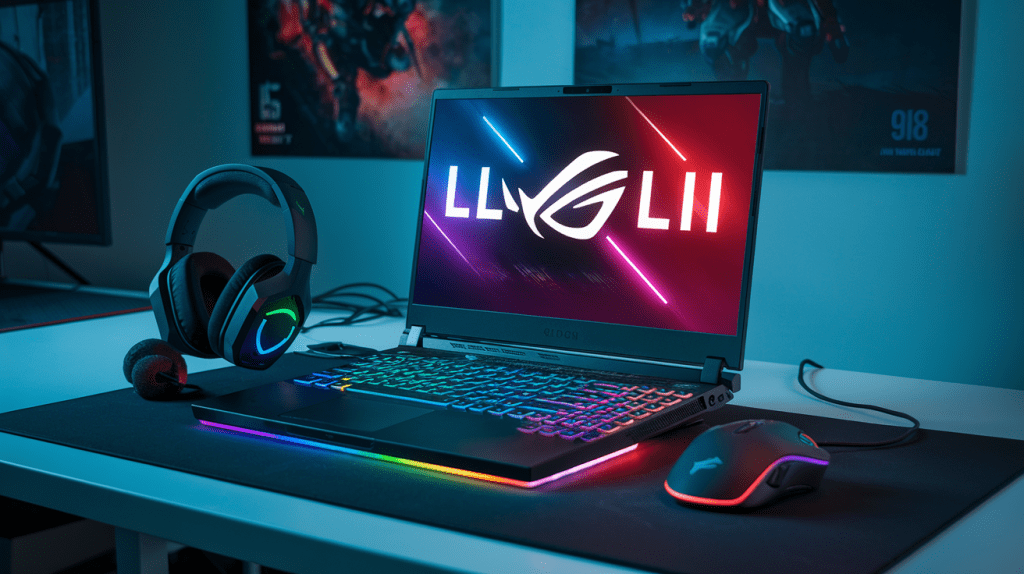
When it comes to mid-range gaming laptops, the $1200-$1800 price bracket offers an excellent balance between performance and affordability. These machines are capable of handling most modern games at high settings while remaining relatively portable. Let’s explore some of the top picks in this range:
- ASUS ROG Zephyrus G14
- Lenovo Legion 5 Pro
- MSI GP66 Leopard
- Acer Predator Helios 300
- Razer Blade 15 Base Model
Each of these laptops offers unique features and strengths. Let’s break down their specifications in a comparison table:
| Model | CPU | GPU | RAM | Storage | Display | Price Range |
|---|---|---|---|---|---|---|
| ASUS ROG Zephyrus G14 | AMD Ryzen 9 5900HS | NVIDIA RTX 3060 | 16GB | 1TB SSD | 14″ QHD 120Hz | $1499-$1699 |
| Lenovo Legion 5 Pro | AMD Ryzen 7 5800H | NVIDIA RTX 3070 | 16GB | 512GB SSD | 16″ QHD 165Hz | $1399-$1599 |
| MSI GP66 Leopard | Intel Core i7-11800H | NVIDIA RTX 3070 | 16GB | 512GB SSD | 15.6″ FHD 240Hz | $1499-$1699 |
| Acer Predator Helios 300 | Intel Core i7-11800H | NVIDIA RTX 3060 | 16GB | 512GB SSD | 15.6″ FHD 144Hz | $1299-$1499 |
| Razer Blade 15 Base Model | Intel Core i7-11800H | NVIDIA RTX 3060 | 16GB | 512GB SSD | 15.6″ FHD 144Hz | $1699-$1799 |
These laptops represent the cream of the crop in the mid-range gaming laptop market. They offer powerful performance, high-quality displays, and robust build quality, making them suitable for both gaming and productivity tasks.
Balancing performance and value
When shopping for a mid-range gaming laptop, it’s crucial to strike the right balance between performance and value. Here are some key factors to consider:
- CPU and GPU combination: Look for laptops with the latest generation processors (AMD Ryzen 5000 series or Intel 11th gen) paired with GPUs like the NVIDIA RTX 3060 or 3070. These combinations offer excellent gaming performance without breaking the bank.
- RAM and storage: 16GB of RAM is the sweet spot for most gamers. For storage, a 512GB or 1TB SSD provides ample space for your games and fast load times.
- Display quality: Opt for laptops with high refresh rate displays (144Hz or higher) and good color accuracy. QHD (1440p) resolution is becoming more common in this price range and offers a noticeable improvement over Full HD.
- Build quality and thermal management: Mid-range laptops should have robust build quality and efficient cooling systems to ensure longevity and consistent performance during extended gaming sessions.
- Brand reputation and after-sales support: Consider brands known for their reliability and good customer service. This can save you headaches down the line if you encounter any issues.
When evaluating these factors, it’s essential to prioritize based on your specific needs. For instance, if you play mostly esports titles, you might prioritize a high refresh rate display over a higher resolution. Conversely, if you enjoy graphically intensive single-player games, you might opt for a laptop with a more powerful GPU.
Future-proofing your investment
Investing in a mid-range gaming laptop is a significant decision, and you’ll want to ensure that your purchase remains relevant for years to come. Here are some strategies to future-proof your investment:
- Opt for the latest generation hardware: Choose laptops with the most recent CPU and GPU generations. This ensures better performance and longer support for new technologies.
- Prioritize upgradability: Look for laptops that allow for easy RAM and storage upgrades. This can extend the lifespan of your device as your needs grow.
- Consider laptops with Thunderbolt support: Thunderbolt ports allow for high-speed data transfer and the possibility of connecting external GPUs in the future, potentially extending your laptop’s gaming capabilities.
- Choose models with good thermal management: Laptops with efficient cooling systems are less likely to throttle performance over time, ensuring consistent gaming experiences for years to come.
- Look for laptops with high-quality displays: A good display will remain satisfying even as technology advances. Consider features like high refresh rates, adaptive sync technologies (G-Sync or FreeSync), and wide color gamuts.
- Consider battery life and portability: While gaming laptops are typically used plugged in, good battery life and portability can increase the versatility of your device, making it useful for work or school as well.
When considering future-proofing, it’s important to remember that technology evolves rapidly. While it’s impossible to completely future-proof a laptop, making smart choices can ensure that your device remains capable and relevant for a longer period.
For example, the ASUS ROG Zephyrus G14 stands out in terms of future-proofing. Its compact size, excellent battery life, and powerful hardware make it versatile for both gaming and productivity. The Lenovo Legion 5 Pro, with its higher-resolution display and powerful RTX 3070 GPU, is well-equipped to handle future games at high settings.
As we look towards the next section on high-end gaming beasts, it’s worth noting that while mid-range laptops offer excellent value, high-end models push the boundaries of mobile gaming performance even further. They often feature the most powerful mobile GPUs, faster processors, and cutting-edge cooling technologies. However, the jump in performance comes with a significant increase in price, which may not be justifiable for all users.
High-End Gaming Beasts
Premium options above $1800
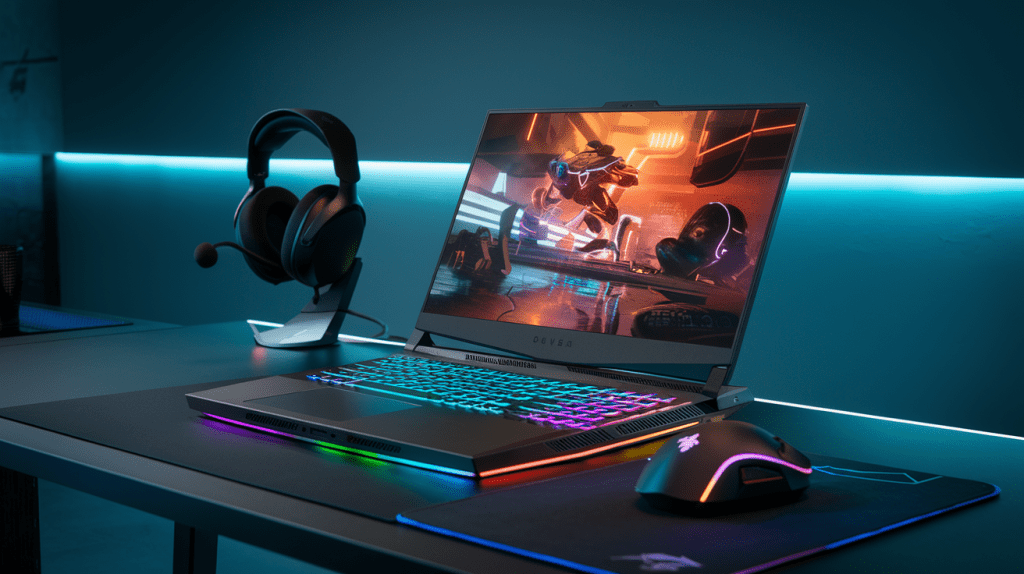
When it comes to high-end gaming beasts, the premium options above $1800 offer unparalleled performance and cutting-edge features that cater to the most demanding gamers and enthusiasts. These laptops represent the pinnacle of mobile gaming technology, pushing the boundaries of what’s possible in a portable form factor.
Here are some of the top contenders in this elite category:
- Alienware x17 R2
- Razer Blade 17
- MSI GE76 Raider
- ASUS ROG Zephyrus Duo 16
- Lenovo Legion 7i
Let’s dive into a detailed comparison of these premium gaming laptops:
| Model | CPU | GPU | RAM | Storage | Display | Price Range |
|---|---|---|---|---|---|---|
| Alienware x17 R2 | Intel Core i9-12900HK | NVIDIA RTX 3080 Ti | Up to 64GB | Up to 4TB SSD | 17.3″ 360Hz 1ms | $2,999 – $4,799 |
| Razer Blade 17 | Intel Core i9-12900H | NVIDIA RTX 3080 Ti | Up to 64GB | Up to 4TB SSD | 17.3″ 360Hz QHD | $3,199 – $4,299 |
| MSI GE76 Raider | Intel Core i9-12900HK | NVIDIA RTX 3080 Ti | Up to 64GB | Up to 2TB SSD | 17.3″ 360Hz FHD | $2,999 – $4,199 |
| ASUS ROG Zephyrus Duo 16 | AMD Ryzen 9 6980HX | NVIDIA RTX 3080 Ti | Up to 64GB | Up to 4TB SSD | 16″ 165Hz 4K + 14″ Touch | $3,499 – $4,999 |
| Lenovo Legion 7i | Intel Core i9-12900HX | NVIDIA RTX 3080 Ti | Up to 64GB | Up to 4TB SSD | 16″ 165Hz WQXGA | $2,999 – $4,199 |
These premium gaming laptops offer exceptional performance, thanks to their top-of-the-line components. They feature the latest Intel Core i9 or AMD Ryzen 9 processors, paired with NVIDIA’s most powerful mobile GPU, the RTX 3080 Ti. This combination ensures smooth gameplay even in the most demanding titles at high settings.
One of the standout features of these high-end gaming beasts is their impressive displays. Most models offer high refresh rates of 360Hz, which provides ultra-smooth motion and reduces input lag, giving competitive gamers a significant advantage. The ASUS ROG Zephyrus Duo 16 takes it a step further with its unique dual-screen design, offering a secondary 14-inch touchscreen for enhanced multitasking and productivity.
Cutting-edge features for enthusiasts
High-end gaming laptops are not just about raw performance; they also come packed with innovative features that cater to enthusiasts’ needs and preferences. Let’s explore some of these cutting-edge features:
- Advanced Cooling Systems: Premium gaming laptops employ sophisticated cooling solutions to maintain optimal performance during extended gaming sessions. For example, the Alienware x17 R2 uses a quad-fan design with a vapor chamber cooling system, while the MSI GE76 Raider features a Cooler Boost 5 system with multiple heat pipes and fans.
- Per-Key RGB Lighting: Customizable RGB lighting is a staple of high-end gaming laptops. The Razer Blade 17 and Lenovo Legion 7i offer per-key RGB lighting, allowing users to create intricate lighting effects and personalize their gaming setup.
- Thunderbolt 4 Connectivity: Most premium gaming laptops now include Thunderbolt 4 ports, enabling fast data transfer, power delivery, and support for external GPUs for future upgradability.
- Advanced Audio Systems: High-quality audio is crucial for immersive gaming experiences. The MSI GE76 Raider features a Dynaudio speaker system, while the ASUS ROG Zephyrus Duo 16 boasts a six-speaker setup with Dolby Atmos support.
- AI-Enhanced Features: Some laptops, like the ASUS ROG Zephyrus Duo 16, incorporate AI-powered technologies for improved performance and user experience. These may include intelligent fan control, CPU/GPU power management, and audio enhancements.
- Premium Build Quality: High-end gaming laptops often feature premium materials like aluminum alloys, magnesium, or carbon fiber, ensuring durability and a luxurious feel.
- Advanced Display Technologies: Besides high refresh rates, many premium gaming laptops offer features like G-Sync or FreeSync for tear-free gaming, as well as HDR support for enhanced color and contrast.
- Customizable Performance Modes: Most high-end gaming laptops come with software that allows users to fine-tune performance settings, creating custom profiles for different games or usage scenarios.
Laptops capable of 4K gaming and VR
The pinnacle of gaming experiences lies in 4K resolution gaming and virtual reality (VR), and these high-end gaming beasts are more than capable of delivering on both fronts. Let’s explore how these laptops handle 4K gaming and VR:
4K Gaming:
The NVIDIA RTX 3080 Ti GPU found in these premium laptops is powerful enough to handle 4K gaming with impressive frame rates. While not all games will run at 60 FPS in 4K with maximum settings, most titles will be playable at this resolution with a mix of high and ultra settings.
The ASUS ROG Zephyrus Duo 16 stands out in this category with its 4K display option, allowing users to enjoy native 4K gaming without an external monitor. Other models like the Alienware x17 R2 and Razer Blade 17 offer 4K display options as well, though they may come at a premium price point.
For the best 4K gaming experience, consider the following tips:
- Use DLSS: NVIDIA’s Deep Learning Super Sampling technology can significantly boost performance in 4K gaming without noticeable loss in image quality.
- Optimize in-game settings: Tweaking certain graphics settings can help maintain smooth frame rates without significantly impacting visual quality.
- Consider external cooling: Using a laptop cooling pad can help maintain optimal performance during extended 4K gaming sessions.
Virtual Reality:
All the high-end gaming laptops mentioned above are VR-ready, thanks to their powerful GPUs and high-performance processors. They meet or exceed the recommended specifications for popular VR headsets like the Oculus Rift S, HTC Vive Pro, and Valve Index.
Key factors that make these laptops excellent for VR include:
- High-performance GPUs: The RTX 3080 Ti ensures smooth frame rates in VR applications, reducing the risk of motion sickness.
- Powerful CPUs: The latest Intel Core i9 and AMD Ryzen 9 processors handle the complex calculations required for VR experiences with ease.
- Ample RAM: With up to 64GB of RAM, these laptops can handle memory-intensive VR applications without bottlenecks.
- Fast storage: NVMe SSDs ensure quick load times for VR games and applications.
- Multiple ports: These laptops offer a variety of ports, including USB 3.2, HDMI, and DisplayPort, for connecting VR headsets and accessories.
When using these high-end gaming laptops for VR, keep in mind:
- Ensure proper ventilation: VR applications can be demanding, so make sure your laptop has adequate airflow during use.
- Use a dedicated VR space: Set up a clear area for VR gaming to avoid accidents and ensure the best experience.
- Invest in quality accessories: A good VR headset and controllers can significantly enhance your virtual reality experience.
Now that we’ve explored the realm of high-end gaming beasts, you have a solid understanding of what these premium laptops offer in terms of performance, features, and capabilities for 4K gaming and VR. These machines represent the cutting edge of mobile gaming technology, providing unparalleled experiences for enthusiasts and power users. Next, we’ll compare different brands and evaluate their reliability, helping you make an informed decision when choosing your ultimate gaming laptop.
Brand Comparison and Reliability
Top gaming laptop brands and their strengths
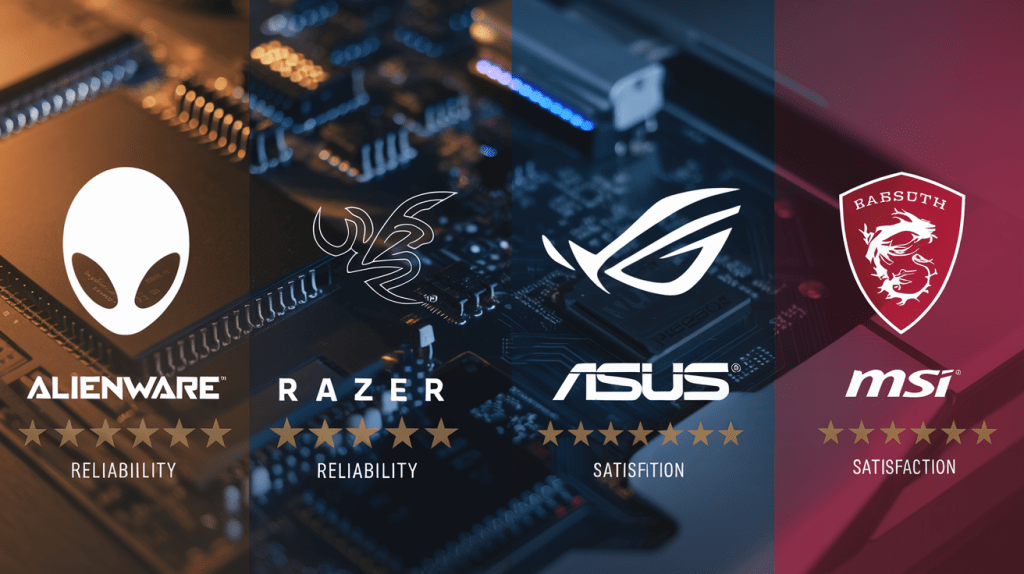
When it comes to gaming laptops, several brands have established themselves as leaders in the industry. Each brand has its unique strengths and specialties, catering to different types of gamers and budgets. Let’s explore some of the top gaming laptop brands and what sets them apart:
- ASUS ROG (Republic of Gamers):
- Known for: High-performance gaming laptops with cutting-edge features
- Strengths:
- Innovative cooling systems
- Sleek designs
- Wide range of options from budget to high-end
- MSI:
- Known for: Powerful gaming laptops with excellent thermal management
- Strengths:
- Customizable performance settings
- Robust build quality
- Strong focus on esports-ready machines
- Alienware:
- Known for: Premium gaming laptops with futuristic designs
- Strengths:
- High-end components
- Excellent build quality
- Unique aesthetic appeal
- Razer:
- Known for: Slim and lightweight gaming laptops
- Strengths:
- Sleek, minimalist designs
- High-quality displays
- Excellent keyboard and trackpad
- Lenovo Legion:
- Known for: Balance of performance and affordability
- Strengths:
- Good value for money
- Solid build quality
- Understated designs suitable for work and play
Let’s compare these brands in terms of their target audience and price range:
| Brand | Target Audience | Price Range |
|---|---|---|
| ASUS ROG | Enthusiast gamers, Performance seekers | Mid to High |
| MSI | Competitive gamers, Overclockers | Mid to High |
| Alienware | Luxury seekers, High-end gamers | High |
| Razer | Professionals, Portable gaming enthusiasts | High |
| Lenovo Legion | Budget-conscious gamers, Students | Low to Mid |
Each of these brands offers a unique proposition to gamers. ASUS ROG and MSI cater to a wide range of gamers, from budget-conscious to high-end enthusiasts. Alienware and Razer focus more on the premium segment, offering top-of-the-line performance and design. Lenovo Legion, on the other hand, provides a good balance of performance and affordability, making it an excellent choice for budget-conscious gamers.
Warranty and customer support considerations
When investing in a gaming laptop, it’s crucial to consider the warranty and customer support offered by the brand. These factors can significantly impact your long-term satisfaction and the overall value of your purchase. Here are some key points to consider:
- Warranty Length:
- Standard warranties typically range from 1 to 3 years
- Some brands offer extended warranty options for an additional cost
- Coverage:
- Basic warranties usually cover manufacturing defects and hardware failures
- Premium warranties may include accidental damage protection
- On-site vs. Send-in Service:
- On-site service: Technicians come to your location for repairs
- Send-in service: You need to ship the laptop to a service center
- Customer Support Channels:
- Phone support
- Email support
- Live chat
- Community forums
- Response Time:
- Consider the average response time for support requests
- Look for brands that offer 24/7 support for urgent issues
Here’s a comparison of warranty and support features for some top gaming laptop brands:
| Brand | Standard Warranty | Extended Warranty Option | On-site Service | 24/7 Support |
|---|---|---|---|---|
| ASUS ROG | 1 year | Yes | Available | Yes |
| MSI | 1 year | Yes | Limited | No |
| Alienware | 1 year | Yes | Available | Yes |
| Razer | 1 year | Yes | Limited | No |
| Lenovo Legion | 1 year | Yes | Available | Yes |
When evaluating warranty and customer support, consider the following:
- Read the fine print: Understand what is and isn’t covered by the warranty.
- Check for region-specific differences: Warranty terms may vary by country.
- Look for additional perks: Some brands offer exclusive support channels for gaming laptops.
- Consider the brand’s reputation: Research online to see how responsive and helpful their support team is.
Remember that good customer support can make a significant difference in your overall experience with a gaming laptop. It’s worth investing time to research and compare the support offerings of different brands before making your final decision.
User reviews and long-term performance
User reviews and long-term performance reports are invaluable resources when choosing a gaming laptop. They provide real-world insights into how a laptop performs over time, its durability, and any common issues that may arise. Here’s how to effectively use this information in your decision-making process:
- Sources for User Reviews:
- E-commerce websites (Amazon, Newegg, Best Buy)
- Tech review websites (Tom’s Hardware, TechRadar, PCMag)
- YouTube reviews
- Gaming forums and communities (Reddit r/GamingLaptops, NotebookReview forums)
- What to Look for in User Reviews:
- Long-term reliability
- Thermal performance under heavy gaming loads
- Battery life degradation over time
- Common hardware or software issues
- Customer service experiences
- Interpreting User Reviews:
- Look for patterns in feedback rather than focusing on individual experiences
- Consider the date of the review, as older reviews may not reflect current models
- Pay attention to verified purchases on e-commerce sites
- Long-term Performance Factors:
- Cooling system efficiency
- Build quality and durability
- Software support and driver updates
- Upgradability and ease of maintenance
To help you analyze user reviews and long-term performance, consider the following checklist:
- Read at least 10-15 user reviews from different sources
- Look for reviews from users who have owned the laptop for 6+ months
- Check for any recurring issues mentioned across multiple reviews
- Evaluate the brand’s track record for software updates and driver support
- Consider the laptop’s repairability score (if available) from sites like iFixit
Here’s a summary of common long-term performance issues and how different brands typically fare:
| Issue | ASUS ROG | MSI | Alienware | Razer | Lenovo Legion |
|---|---|---|---|---|---|
| Thermal Management | Good | Excellent | Good | Fair | Good |
| Build Quality | Excellent | Good | Excellent | Excellent | Good |
| Software Support | Good | Good | Excellent | Good | Good |
| Upgradability | Good | Excellent | Fair | Poor | Good |
Keep in mind that individual experiences may vary, and newer models often address issues found in previous generations. It’s essential to research the specific model you’re interested in, as performance can vary significantly within a brand’s lineup.
Now that we’ve covered the importance of brand comparison, warranty considerations, and user reviews, you’re better equipped to make an informed decision about your gaming laptop purchase. The next section will delve into the customization and upgradability options available for gaming laptops, which can significantly impact your long-term satisfaction with your chosen device.
Customization and Upgradability
Benefits of configurable laptops
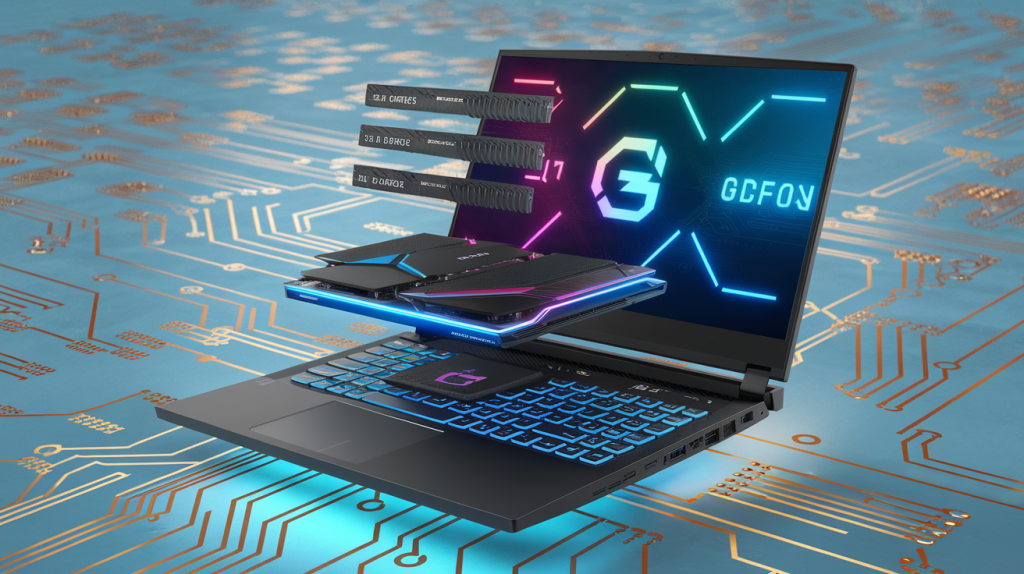
Configurable gaming laptops offer a multitude of advantages for gamers who want to tailor their machines to their specific needs and preferences. These customizable powerhouses provide flexibility, longevity, and cost-effectiveness that can significantly enhance your gaming experience.
- Personalized Performance: With configurable laptops, you can fine-tune your system’s performance to match your gaming requirements. This means you can allocate resources where they matter most, whether it’s a more powerful GPU for graphics-intensive games or a faster CPU for strategy titles that demand complex calculations.
- Future-Proofing: The ability to upgrade components allows you to extend the lifespan of your gaming laptop. As new games with higher system requirements are released, you can keep pace by upgrading specific parts rather than replacing the entire machine.
- Cost-Effectiveness: While the initial investment in a configurable laptop might be higher, it can save you money in the long run. Instead of buying a new laptop every few years, you can upgrade individual components as needed, spreading the cost over time.
- Versatility: Configurable laptops often cater to a wider range of users. You can start with a base model that fits your budget and gradually upgrade as your needs evolve or as you save up for better components.
- Customized Aesthetics: Many configurable laptops allow for personalization beyond just the internal components. You can often choose different color schemes, keyboard layouts, or even custom designs to make your gaming rig truly your own.
Here’s a comparison of the benefits of configurable laptops versus fixed-configuration models:
| Feature | Configurable Laptops | Fixed-Configuration Laptops |
|---|---|---|
| Initial Cost | Often higher | Generally lower |
| Long-term Cost | Potentially lower due to upgrades | Higher due to full replacements |
| Personalization | High | Limited |
| Future-Proofing | Better | Limited |
| Performance Optimization | Customizable | Pre-set |
| Lifespan | Longer with upgrades | Shorter without upgrade options |
Upgradeable components to look for
When considering a configurable gaming laptop, it’s crucial to know which components offer the most significant impact on performance and longevity. Here are the key upgradeable components to look for:
- RAM (Random Access Memory):
- Why it matters: More RAM allows for smoother multitasking and better performance in memory-intensive games.
- What to look for: Laptops with easily accessible RAM slots and support for higher capacities (e.g., up to 64GB or 128GB).
- Storage:
- Why it matters: Faster and larger storage improves game loading times and allows you to keep more games installed.
- What to look for: Models with multiple storage slots, including M.2 NVMe SSD slots and 2.5″ drive bays for SSDs or HDDs.
- GPU (Graphics Processing Unit):
- Why it matters: The GPU is the heart of gaming performance, determining the quality and frame rates you can achieve.
- What to look for: Laptops with MXM (Mobile PCI Express Module) slots or external GPU support via Thunderbolt ports.
- CPU (Central Processing Unit):
- Why it matters: A powerful CPU is essential for complex game logic, physics simulations, and overall system performance.
- What to look for: While less common, some high-end gaming laptops offer upgradeable CPUs. Look for models with socketed processors rather than soldered ones.
- Wi-Fi Card:
- Why it matters: A modern Wi-Fi card ensures faster and more stable online gaming experiences.
- What to look for: Laptops with easily accessible Wi-Fi card slots, allowing upgrades to newer standards like Wi-Fi 6 or Wi-Fi 6E.
- Battery:
- Why it matters: While not directly impacting gaming performance, a replaceable battery can extend the laptop’s overall lifespan.
- What to look for: Models with user-replaceable batteries, though this feature is becoming increasingly rare in modern laptops.
- Keyboard:
- Why it matters: A high-quality keyboard enhances comfort and responsiveness during gaming sessions.
- What to look for: Some gaming laptops offer modular keyboards that can be replaced or upgraded.
When evaluating these upgradeable components, consider the following factors:
- Ease of access: Look for laptops with easily removable bottom panels or dedicated access doors for upgradeable components.
- Warranty implications: Understand how upgrades might affect your warranty coverage.
- Compatibility: Ensure that potential upgrades are compatible with your laptop’s motherboard and power supply.
DIY upgrades vs. professional services
Once you’ve identified the upgradeable components in your gaming laptop, you’ll need to decide whether to perform the upgrades yourself or seek professional assistance. Both approaches have their merits and drawbacks, and the best choice depends on your technical skills, comfort level, and the complexity of the upgrade.
DIY Upgrades:
Pros:
- Cost-effective: You save on labor costs by doing the work yourself.
- Educational: You gain valuable experience and knowledge about your laptop’s internals.
- Immediate gratification: You can perform upgrades on your own schedule without waiting for appointments.
- Customization control: You have full control over the process and can make decisions on the fly.
Cons:
- Risk of damage: Without proper knowledge or tools, you might accidentally damage components.
- Warranty concerns: DIY upgrades may void your warranty if not done correctly.
- Time-consuming: Researching and performing upgrades can be time-intensive, especially for beginners.
- Limited access to specialized tools: Some upgrades may require tools you don’t have readily available.
Professional Services:
Pros:
- Expertise: Professionals have the knowledge and experience to handle complex upgrades safely.
- Warranty preservation: Many authorized service centers can perform upgrades without voiding warranties.
- Time-saving: You don’t have to spend time researching or performing the upgrade yourself.
- Access to specialized tools: Professionals have the necessary tools for all types of upgrades.
Cons:
- Higher cost: You’ll need to pay for both parts and labor.
- Scheduling constraints: You may need to work around the service center’s availability.
- Less hands-on learning: You miss out on the educational aspect of performing upgrades yourself.
- Potential overcharging: Some services may recommend unnecessary upgrades or charge inflated prices.
To help you decide between DIY and professional services, consider this decision matrix:
| Upgrade Type | Skill Level Required | Tools Needed | Recommended Approach |
|---|---|---|---|
| RAM | Low | Screwdriver | DIY |
| SSD/HDD | Low-Medium | Screwdriver, possibly cloning software | DIY or Professional |
| GPU (External) | Low | None (plug-and-play) | DIY |
| GPU (Internal) | High | Various specialized tools | Professional |
| CPU | High | Thermal paste, various tools | Professional |
| Wi-Fi Card | Medium | Screwdriver, antenna tools | DIY or Professional |
| Battery | Low-Medium | Screwdriver | DIY or Professional |
| Keyboard | Medium-High | Various tools, possibly soldering iron | Professional |
When opting for DIY upgrades, always:
- Research thoroughly and follow reputable guides specific to your laptop model.
- Use anti-static precautions to protect sensitive components.
- Document the process with photos or videos in case you need to revert changes.
- Keep all original parts in case you need to return the laptop to its stock configuration.
If choosing professional services:
- Get quotes from multiple reputable service providers.
- Ask about their warranty policies for the upgrades they perform.
- Ensure they use genuine, high-quality components for the upgrades.
- Back up your data before handing over your laptop for service.
By carefully considering the upgradeable components in gaming laptops and weighing the pros and cons of DIY versus professional upgrades, you can make informed decisions that will keep your gaming rig performing at its best for years to come. Whether you’re a tech-savvy enthusiast ready to tackle upgrades yourself or prefer the peace of mind that comes with professional services, the ability to customize and upgrade your gaming laptop is a powerful tool in maintaining a cutting-edge gaming experience.
Accessories to Enhance Your Gaming Experience
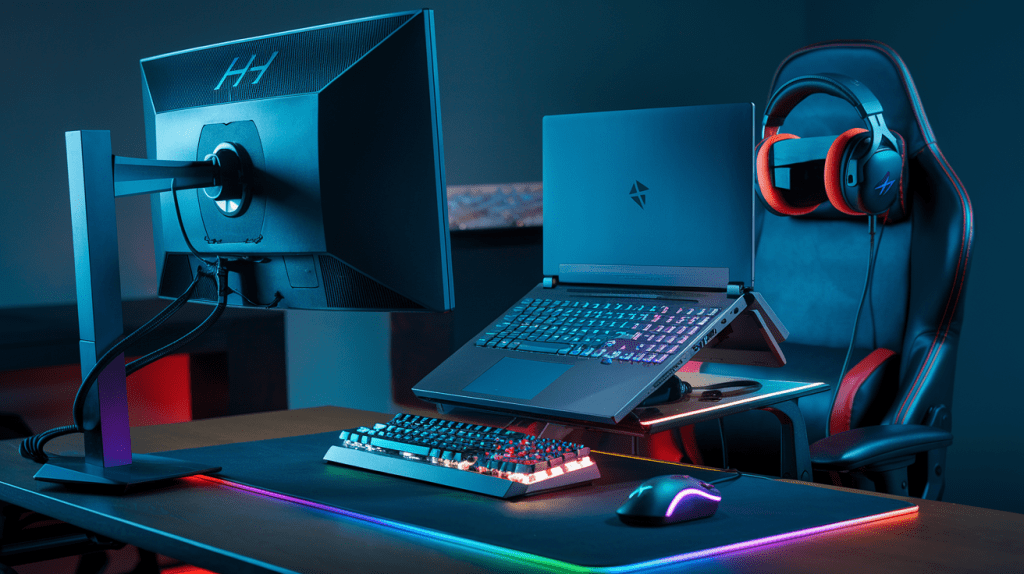
External GPUs for added power
For gamers seeking to amplify their laptop’s performance without breaking the bank on a new system, external GPUs (eGPUs) offer a compelling solution. These devices allow you to connect a desktop-grade graphics card to your laptop, significantly boosting its graphical capabilities.
How eGPUs Work
eGPUs connect to your laptop via a high-speed interface, typically Thunderbolt 3 or 4. This connection provides enough bandwidth to transfer data between the laptop and the external graphics card, enabling smooth gaming experiences. Here’s a quick overview of the eGPU setup process:
- Connect the eGPU enclosure to your laptop
- Install a compatible graphics card in the enclosure
- Install necessary drivers and software
- Enjoy enhanced graphics performance on your laptop
Benefits of eGPUs
- Flexibility: Use powerful desktop GPUs with your laptop
- Upgradability: Easily swap out GPUs as newer models become available
- Cost-effective: Cheaper than buying a new high-end gaming laptop
- Space-saving: Keep your setup compact when not gaming
Popular eGPU Enclosures
| Model | Compatibility | Max GPU Size | Power Supply |
|---|---|---|---|
| Razer Core X | Thunderbolt 3/4 | 3-slot GPU | 650W |
| Sonnet eGFX Breakaway Box | Thunderbolt 3 | 2.5-slot GPU | 550W |
| ASUS ROG XG Station 2 | Thunderbolt 3 | 2.5-slot GPU | 600W |
When selecting an eGPU, ensure your laptop has a compatible Thunderbolt port and check the power requirements of your chosen graphics card.
Gaming mice and keyboards
No gaming setup is complete without high-quality input devices. Gaming mice and keyboards offer precision, customization, and durability that can significantly enhance your gaming experience.
Gaming Mice
A good gaming mouse provides accurate tracking, comfortable ergonomics, and customizable buttons. Key features to look for include:
- High DPI (dots per inch) for precise cursor movement
- Low latency for instant responsiveness
- Programmable buttons for custom macros
- Ergonomic design for comfortable long gaming sessions
- RGB lighting for personalization (if desired)
Some popular gaming mice models include the Logitech G502 HERO, Razer DeathAdder V2, and SteelSeries Rival 600.
Gaming Keyboards
Gaming keyboards offer faster response times, anti-ghosting capabilities, and customizable keys. Consider these features when choosing a gaming keyboard:
- Mechanical switches for tactile feedback and durability
- N-key rollover to register multiple simultaneous key presses
- Programmable macro keys for complex in-game actions
- Backlighting or RGB illumination for gaming in low-light conditions
- Dedicated media controls for easy audio adjustments
Top gaming keyboard choices include the Corsair K95 RGB Platinum, Razer BlackWidow Elite, and SteelSeries Apex Pro.
Wireless vs. Wired
While wireless peripherals offer more freedom of movement, wired options generally provide lower latency and don’t require battery management. Here’s a comparison:
| Aspect | Wired | Wireless |
|---|---|---|
| Latency | Lower | Slightly higher |
| Setup | Plug-and-play | May require pairing |
| Battery | Not needed | Requires charging/replacement |
| Cable management | Can be messy | Cleaner setup |
| Portability | Less portable | More portable |
Choose based on your priorities between performance and convenience.
Cooling pads and stands
Keeping your gaming laptop cool is crucial for maintaining optimal performance and extending its lifespan. Cooling pads and stands help dissipate heat more effectively, preventing thermal throttling and potential hardware damage.
Benefits of Cooling Pads
- Improved airflow around the laptop
- Reduced CPU and GPU temperatures
- Potential performance gains in demanding games
- More comfortable lap usage during long gaming sessions
Types of Cooling Solutions
- Active Cooling Pads: Feature built-in fans for forced air cooling
- Passive Cooling Stands: Elevate the laptop for better natural airflow
- Hybrid Solutions: Combine elevation with optional fan cooling
Choosing the Right Cooling Pad
Consider these factors when selecting a cooling pad:
- Size: Ensure it fits your laptop’s dimensions
- Fan count and speed: More fans and higher speeds generally provide better cooling
- Noise level: Look for quiet operation if noise is a concern
- Adjustable height: For ergonomic comfort during use
- Extra features: USB ports, LED lighting, or adjustable fan speeds
Popular cooling pad models include the Cooler Master NotePal X3, Thermaltake Massive 20 RGB, and Havit HV-F2056.
High-quality headsets and speakers
Immersive audio can dramatically enhance your gaming experience, making high-quality headsets and speakers essential accessories for any gaming setup.
Gaming Headsets
Gaming headsets offer a combination of clear audio and integrated microphones for communication. Key features to consider include:
- Sound quality: Look for clear, balanced audio with good bass response
- Surround sound: Virtual or true surround sound for positional audio in games
- Microphone quality: Clear voice capture for team communication
- Comfort: Padded ear cups and headband for long gaming sessions
- Compatibility: Ensure it works with your laptop and preferred gaming platforms
Top gaming headset options include the SteelSeries Arctis Pro, HyperX Cloud II, and Razer BlackShark V2.
Gaming Speakers
For those who prefer speaker setups, gaming-oriented speakers can provide room-filling sound without the need for headphones. Consider these factors:
- Audio quality: Clear, detailed sound with good bass response
- Power output: Sufficient volume for your gaming space
- Connectivity options: Multiple inputs for various devices
- Subwoofer: For enhanced low-frequency performance
- Customization: Equalizer settings for different game genres
Popular gaming speaker systems include the Logitech G560, Razer Nommo Pro, and Creative Sound BlasterX Katana.
Headsets vs. Speakers: Pros and Cons
| Aspect | Headsets | Speakers |
|---|---|---|
| Immersion | More immersive | Room-filling sound |
| Privacy | Private audio | Can disturb others |
| Communication | Integrated mic | Separate mic needed |
| Comfort | Can cause fatigue | No head fatigue |
| Spatial awareness | Better for competitive gaming | Less precise positioning |
Choose based on your gaming environment, preferences, and the types of games you play most often.
Now that we’ve explored the various accessories that can enhance your gaming experience, let’s move on to the final step in choosing your perfect gaming laptop.
Making the Final Decision

Comparing specs and benchmarks
When making the final decision on your gaming laptop, it’s crucial to compare specs and benchmarks to ensure you’re getting the best performance for your money. Let’s dive into the key specifications and benchmarks you should consider:
- CPU Performance: Look for benchmarks that test single-core and multi-core performance, such as Cinebench or Geekbench. These will give you an idea of how well the laptop will handle both gaming and multitasking.
- GPU Performance: Check benchmarks like 3DMark or specific game frame rate tests. These will show you how well the laptop can handle different types of games at various settings.
- RAM and Storage: While not typically benchmarked, ensure the laptop has sufficient RAM (at least 16GB for modern gaming) and fast storage (preferably an NVMe SSD).
- Display Quality: Look for benchmarks that measure color accuracy, brightness, and response time. These factors significantly impact your gaming experience.
- Thermal Performance: Check reviews that measure the laptop’s temperatures under load. Overheating can lead to thermal throttling, which reduces performance.
Here’s a comparison table of typical benchmark scores for different tiers of gaming laptops:
| Spec/Benchmark | Budget Gaming Laptop | Mid-Range Gaming Laptop | High-End Gaming Laptop |
|---|---|---|---|
| CPU (Cinebench R23 Multi-core) | 8,000-12,000 | 12,000-18,000 | 18,000+ |
| GPU (3DMark Time Spy) | 3,000-5,000 | 5,000-8,000 | 8,000+ |
| RAM | 8-16GB | 16-32GB | 32-64GB |
| Storage | 256-512GB SSD | 512GB-1TB SSD | 1TB+ SSD |
| Display Refresh Rate | 60-144Hz | 144-240Hz | 240-360Hz |
Remember, these numbers are approximate and can vary based on specific models and configurations. Always cross-reference multiple sources when comparing benchmarks.
Testing before buying: what to look for
While benchmarks provide valuable information, nothing beats hands-on testing. If possible, try out the laptop in person before making your purchase. Here’s what to look for during your testing:
- Build Quality:
- Check the overall construction
- Test the hinge durability
- Assess the keyboard and touchpad responsiveness
- Display Quality:
- Examine color vibrancy and accuracy
- Check viewing angles
- Look for any backlight bleeding or dead pixels
- Audio Performance:
- Test speaker loudness and clarity
- Check for any distortion at high volumes
- Thermal Management:
- Run a demanding game for at least 30 minutes
- Monitor temperatures and listen for fan noise
- Check if the keyboard or palm rest areas become uncomfortably hot
- Battery Life:
- While gaming laptops aren’t known for long battery life, test how long it lasts under normal usage
- Portability:
- Assess the weight and size
- Consider how easy it is to carry in a backpack or laptop bag
- Software Experience:
- Check for any pre-installed bloatware
- Test the gaming-specific software features
When testing, use this checklist to ensure you don’t miss any crucial aspects:
- Run a demanding game and check frame rates
- Test multitasking capabilities (e.g., gaming while streaming)
- Evaluate keyboard comfort during extended gaming sessions
- Check Wi-Fi and Bluetooth connectivity
- Test all ports (USB, HDMI, etc.) for functionality
- Assess the webcam and microphone quality for online gaming and streaming
Considering future gaming trends and requirements
When investing in a gaming laptop, it’s essential to think about future-proofing your purchase. Consider these upcoming trends and requirements:
- Ray Tracing: This technology is becoming more prevalent in modern games. Ensure your chosen GPU supports ray tracing for enhanced visual experiences.
- AI-Enhanced Gaming: Features like NVIDIA DLSS (Deep Learning Super Sampling) use AI to improve performance and image quality. Look for laptops that support these technologies.
- VR and AR Gaming: If you’re interested in virtual or augmented reality gaming, ensure your laptop meets the minimum requirements for popular VR headsets.
- Cloud Gaming: While not a replacement for local hardware, cloud gaming services are improving. A laptop with strong Wi-Fi capabilities and a good display can take advantage of these services.
- Higher Refresh Rates: Games are increasingly supporting higher frame rates. Consider a display with at least a 144Hz refresh rate for future-proofing.
- Increased Storage Requirements: Modern games are getting larger. Opt for a laptop with expandable storage options or a large SSD to accommodate future game installations.
- Improved Cooling Solutions: As components become more powerful, efficient cooling becomes crucial. Look for laptops with advanced cooling systems or the ability to upgrade cooling.
- Connectivity: With the rise of competitive online gaming, look for laptops with the latest Wi-Fi standards (Wi-Fi 6 or 6E) and Ethernet ports for stable connections.
Here’s a table summarizing the recommended specifications for future-proofing your gaming laptop:
| Component | Recommended Spec for Future-Proofing |
|---|---|
| CPU | 8+ cores, high clock speeds |
| GPU | RTX 3060 or better, with ray tracing support |
| RAM | 32GB or more, expandable |
| Storage | 1TB+ NVMe SSD, with expansion options |
| Display | 144Hz+ refresh rate, 1440p or 4K resolution |
| Cooling | Advanced thermal solutions (e.g., vapor chamber) |
| Connectivity | Wi-Fi 6/6E, Thunderbolt 4, USB 4 |
By considering these future trends and requirements, you can make a more informed decision that will keep your gaming laptop relevant for years to come. Remember, while it’s impossible to predict all future developments, choosing a laptop with strong fundamentals and some headroom for upgrades will serve you well in the long run.
As we conclude this section on making the final decision, you should now have a comprehensive understanding of how to compare specs and benchmarks, what to look for when testing a gaming laptop, and how to consider future gaming trends. Armed with this knowledge, you’re well-equipped to choose the perfect gaming powerhouse that meets your needs and budget while also standing the test of time.
Gaming laptops have come a long way, offering powerful performance in portable packages. From budget-friendly options to high-end beasts, there’s a perfect gaming laptop for every need and budget. By understanding the essential features, assessing your gaming requirements, and considering factors like brand reliability and upgradability, you can make an informed decision that will enhance your gaming experience.
Remember, the best gaming laptop for you is one that balances performance, portability, and price according to your specific needs. Whether you’re a casual gamer or a hardcore enthusiast, investing in the right gaming laptop will provide you with countless hours of immersive gameplay and entertainment. So, take your time, compare your options, and choose the gaming powerhouse that will take your gaming to the next level.
 Vivid Tech Circle
Leave a comment